Streamline Check-ins, Send Alerts, & Stay Connected While Working Alone
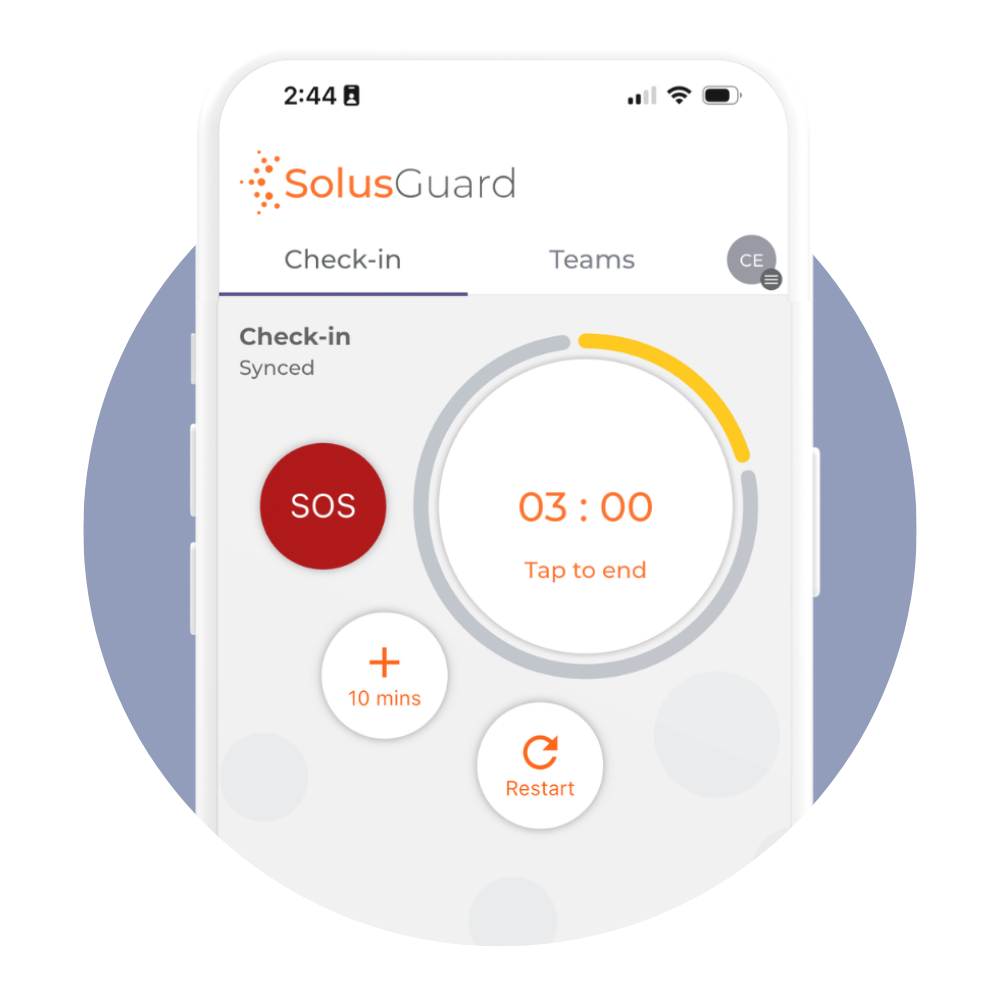
Designed for staff who work alone or in unpredictable environments, the SolusGuard mobile safety app turns a mobile phone into a powerful safety tool.


Your Team's Safety is Always a Tap Away
Our Mobile Safety App is built for simplicity and reliability — empowering employees to stay connected throughout the day.
With an intuitive design, it lets workers easily:
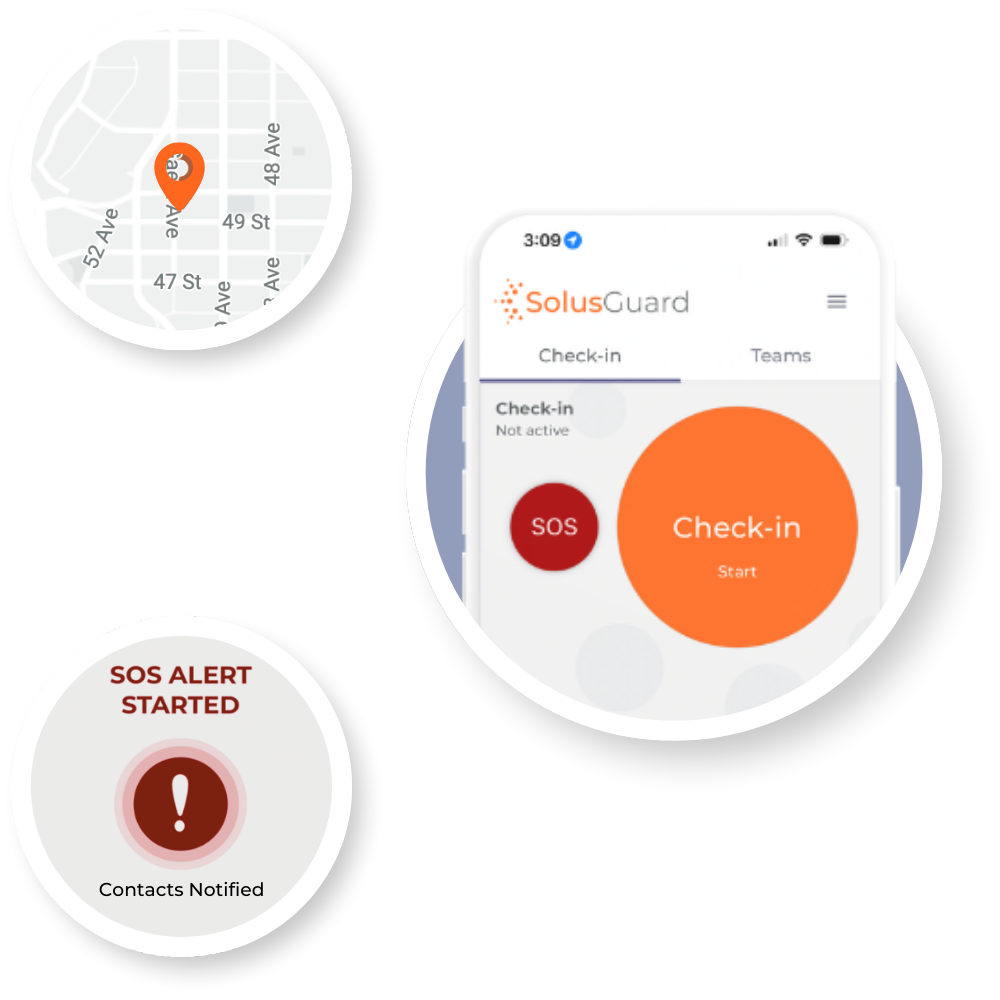
- Check-in at regular timed intervals to confirm they are OK
- Automatically alert supervisors or one of our 24/7 monitoring agents if a check-in is missed
- Send an instant SOS alert with GPS location during an emergency
4 Steps to Better Safety when Working Alone
1. Setup Your Contact Network
Add contacts into the app so we know who to notify if a check-in is missed or the SOS alert button is pressed.
2. Start a Working Alone Session
Start a session by telling us how frequently you would like to check-in and adding any additional details related to the work you will be doing.
3. Check-in When Prompted
You will receive a push notification telling you when it's time to check-in. Open the app and check-in at your regular scheduled intervals and end the session once you've finished working alone.
4. Alert Others of a Potential Emergency
If you miss a check-in or tap the in-app SOS button, an alert with your GPS location will be sent to your contact network so they can attempt to contact you and call emergency services if you're unresponsive.
Lone Worker Safety App Features
Our integrated alert monitoring system is a critical component in workforce safety, used daily by managers, internal security teams, and professional monitoring agents to receive, coordinate, and escalate alerts efficiently. With a suite of powerful, flexible features, every incident is managed with precision to keep your team safe and your operations secure.
App-based Check-ins
With a single tap, employees start a timer when working alone and add additional details about the work they're doing. If they don't check-in when expected, a missed check-in alert is sent out.
SOS Alert Button
A quick tap on the SOS button immediately sends an alert along with real-time GPS coordinates, ensuring your contact network is instantly notified about a potential emergency.
Shared Alert Communication Feed
Our app-based alert feed makes it easy for supervisors or other staff to receive and respond to alerts on the go - reducing emergency response time and improving coordination.
Multi-channel Notifications
Alerts are sent instantly via push notifications, SMS, email, and custom API integrations. This multi-channel strategy minimizes response times by delivering critical information to your network without delay.
Flexible Alert Monitoring Options
We also provide a web-based alert monitoring tool for teams solely responsible for monitoring staff safety or 24/7 professional alert monitoring services.
Powerful Add-ons
Our wearable panic button and satellite communication tools further extend the capabilities of our lone worker safety app to those working in very dangerous or remote conditions.
Trusted by leading organizations across North America to keep their people safe.
“SolusGuard has afforded our team a real sense of security while completing their day to day tasks. The system is quick and easy to set up and the devices are extremely easy to use, our employees only need to push a single button to call for help. Strongly recommended, the experience has been great.”

Sheena Reyes Keslick
VP of Operations, MainStreet Equity Corp.
"SolusGuard has been an incredible addition to our frontline safety protocols. The discreet, easy-to-use devices give staff immediate access to emergency services, with thoughtful features that reflect a deep understanding of our work. As a CEO, knowing my team has this level of protection gives me peace of mind. The support from SolusGuard has been exceptional."

Cara Bahr
CEO, YWCA Saskatoon
"SolusGuard has been a great partner in safety. Their technology is industry leading and provides us an advanced level of protection for our team members. Thank you."

John Price
Senior VP of HSE, Avenue Living
Unsure if our lone worker monitoring system is right for your organization?
What sets your Alert Monitoring approach apart from other systems?
We offer three distinct yet complementary monitoring options: a mobile-based solution with an integrated real-time newsfeed, professional 24/7 monitoring services, and our advanced Command Center for internal management. You can choose the option that best suits your organization or combine them for enhanced safety. You are not required to use our professional monitoring service.
How do multi-channel notifications enhance emergency response?
By sending alerts through push notifications, SMS, email, and custom API integrations, we incorporate redundancy into our alert notification system. This enhances reliability by guaranteeing that if one channel fails, contacts will still receive notifications through the other channels, ensuring they are informed of the alert.
Does your system track employee location continuously?
No. We capture location data only when necessary — during active check-in sessions, when an SOS is triggered, or when the wearable panic button is pressed. This approach ensures essential information is available in emergencies while respecting privacy.
How does the alert feed improve situational awareness?
The live newsfeed provides real-time updates on alert statuses, GPS data, and response actions to both the employee who triggered the alert, and everyone within their contact network.
This continuous stream of information keeps your safety team fully informed, enabling coordinated and swift action during an incident.
Can the Alert Monitoring system be customized to our needs?
Absolutely. Our system is highly configurable —you can tailor notification protocols, escalation procedures, and the data captured during an alert to align with your organization’s unique safety requirements and compliance standards.
Want to learn more about our solutions & staff safety?
Implementing technology to improve staff safety
Our guide will walk you through how to evaluate different types of technology to improve lone and at risk worker safety.